14 / Files
File Thumbnail
A compact image preview for attachments, upload queues, and file lists. Browser image files work without any setup.
Use an existing image URL, or choose a local PNG, JPEG, WebP, GIF, SVG, or AVIF file.

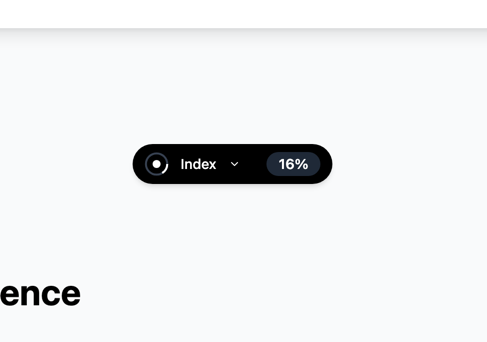

"use client"

import * as React from "react"
import { ImagePlus } from "lucide-react"

import { FileThumbnail } from "mischief-ui/file-thumbnail"

const examples = [
  {
    label: "PNG",
    file: { name: "floating-index.png", type: "image/png" },
    previewImageUrl: "/demo/gallery/floating-index.png",
  },
  {
    label: "PNG",
    file: { name: "shift-button.png", type: "image/png" },
    previewImageUrl: "/demo/gallery/shift-button.png",
  },
  {
    label: "PNG",
    file: { name: "focus-text.png", type: "image/png" },
    previewImageUrl: "/demo/gallery/focus-text.png",
  },
] as const

export function FileThumbnailDemo() {
  const inputRef = React.useRef<HTMLInputElement>(null)
  const [localImage, setLocalImage] = React.useState<File>()

  return (
    <div className="w-full max-w-3xl">
      <div className="mb-6 flex flex-wrap items-center justify-between gap-3">
        <p className="text-muted-foreground max-w-md text-sm">
          Use an existing image URL, or choose a local PNG, JPEG, WebP, GIF,
          SVG, or AVIF file.
        </p>
        <button
          className="border-border bg-background hover:bg-muted focus-visible:ring-ring inline-flex min-h-11 items-center gap-2 rounded-full border px-4 text-sm font-semibold outline-none focus-visible:ring-2"
          type="button"
          onClick={() => inputRef.current?.click()}
        >
          <ImagePlus aria-hidden="true" size={16} />
          Choose local image
        </button>
        <input
          ref={inputRef}
          accept="image/*"
          className="hidden"
          type="file"
          onChange={(event) => {
            setLocalImage(event.currentTarget.files?.[0])
            event.currentTarget.value = ""
          }}
        />
      </div>

      <div className="grid grid-cols-2 gap-5 md:grid-cols-4">
        <figure className="min-w-0">
          <FileThumbnail
            file={localImage ?? { name: "cover.png", type: "image/png" }}
            previewImageUrl={
              localImage ? undefined : "/brand/mischief-social-preview.png"
            }
            className="w-full"
            previewAspectRatio={4 / 5}
          />
          <figcaption className="text-muted-foreground mt-2 truncate text-center text-xs">
            {localImage?.name ?? "Image file"}
          </figcaption>
        </figure>

        {examples.map(({ label, ...props }) => (
          <figure className="min-w-0" key={props.file.name}>
            <FileThumbnail
              {...props}
              className="w-full"
              previewAspectRatio={4 / 5}
            />
            <figcaption className="text-muted-foreground mt-2 text-center text-xs">
              {label}
            </figcaption>
          </figure>
        ))}
      </div>
    </div>
  )
}
Installation
Copy the source into your project, or keep it behind a package.
npx shadcn@latest add Tinkerers-Labs/mischief-ui/file-thumbnailimport { FileThumbnail } from "mischief-ui/file-thumbnail"Or paste it in yourself. The source imports the shared cn helper from @/lib/utils, so point that at your own copy.
"use client" import * as React from "react"import { FileImage } from "lucide-react"import { cn } from "@/lib/utils" export type FileThumbnailFile = { name: string type?: string} export type FileThumbnailProps = Omit< React.HTMLAttributes<HTMLDivElement>, "children"Usage
export function ImagePreview({ file }: { file: File }) {
  return (
    <FileThumbnail
      file={file}
      className="w-32"
    />
  )
}
How it decides what a file is
The badge is the extension taken from the name, upper-cased and cut to five characters. A file is treated as an image when its MIME type starts with image/, or when the extension is one of png, jpg, jpeg, gif, webp, svg, or avif.
Both of those are guesses from a name, which is fine for choosing an icon and useless as a check. Nothing here validates anything: a script renamed to .png is still shown as an image.
Previews are yours to make
No preview is generated. Pass previewImageUrl and it is shown; leave it out and the file gets its extension badge instead. That keeps the component free of any renderer, and lets the picture come from wherever it actually lives -- a stored thumbnail, a signed URL, an object URL you made in the browser.
const url = useMemo(() => URL.createObjectURL(file), [file])
useEffect(() => () => URL.revokeObjectURL(url), [url])

<FileThumbnail file={file} previewImageUrl={url} />isLoading covers the wait while a thumbnail is being made, and hasError covers one that could not be. Passing null for previewImageUrl is the honest way to say there will not be one.
API
fileFile | FileThumbnailFileA browser File or an object with a name and optional MIME type.previewImageUrlstring | nullAn existing image URL. Browser image File objects preview themselves when omitted.previewAspectRationumberThe frame aspect ratio. Defaults to 1.fit"cover" | "contain"Image fitting. Defaults to cover.altstringAlternative text for the preview image. Defaults to decorative.isLoadingbooleanShows the loading state.hasErrorbooleanForces the file-type fallback.previewClassNamestringClasses for the preview content.classNamestringClasses for the preview frame.FileThumbnailFile
namestringFilename. The extension becomes the badge.typestringMIME type, used to spot an image. Optional.Accessibility
Failed previews expose the file name and explain that the image is unavailable. Loading previews use a named status. Preview images default to decorative because file names usually sit beside thumbnails, but alt text can be supplied when the image itself carries meaning. Reduced motion removes the fade and shimmer movement.